Features
Every module, screen by screen
The screenshots below come from a running installation with a demo tenant in euros. Nothing is mocked: the same screens open after the first deploy.
Dashboard
The programme at a glance, filtered by store
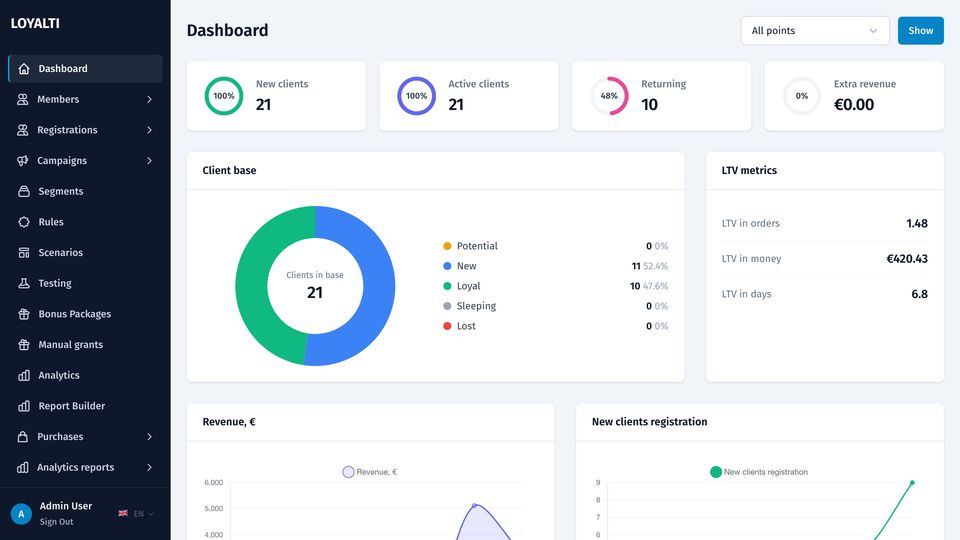
New and active clients, returning share, extra revenue attributed to the programme, the client base by lifecycle stage, LTV in orders, money and days, revenue and registrations by month. A store filter applies to every widget.
Members, wallets and registrations
One member, one wallet, three balances
Members list
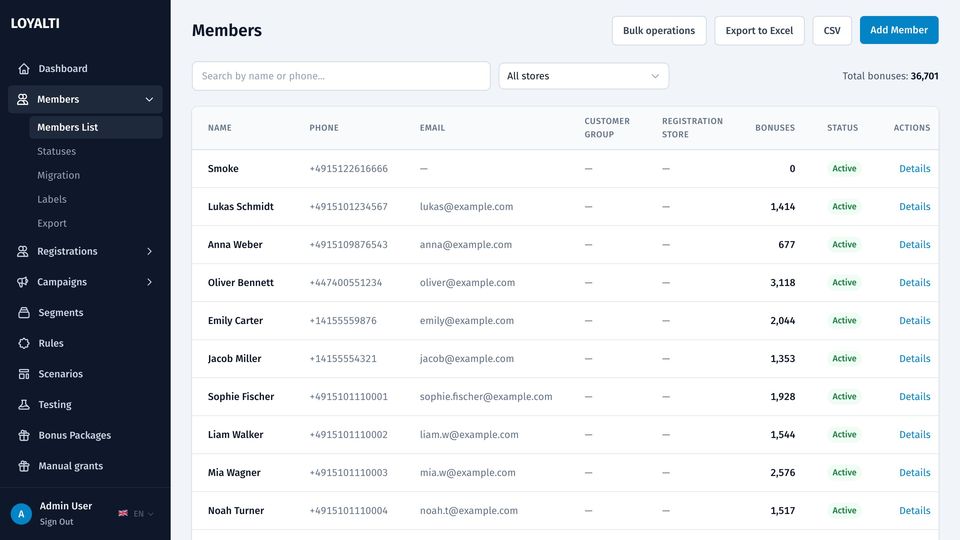
Search by name or phone, filter by store, see the balance and status in the list. Bulk operations change labels, groups and statuses for a selection; export to CSV or Excel with the columns you pick.
- Phone numbers validated and stored in E.164 for any country
- Statuses, groups and free-form labels usable in rules and segments
- Migration tool for an existing base with points and history
Member card
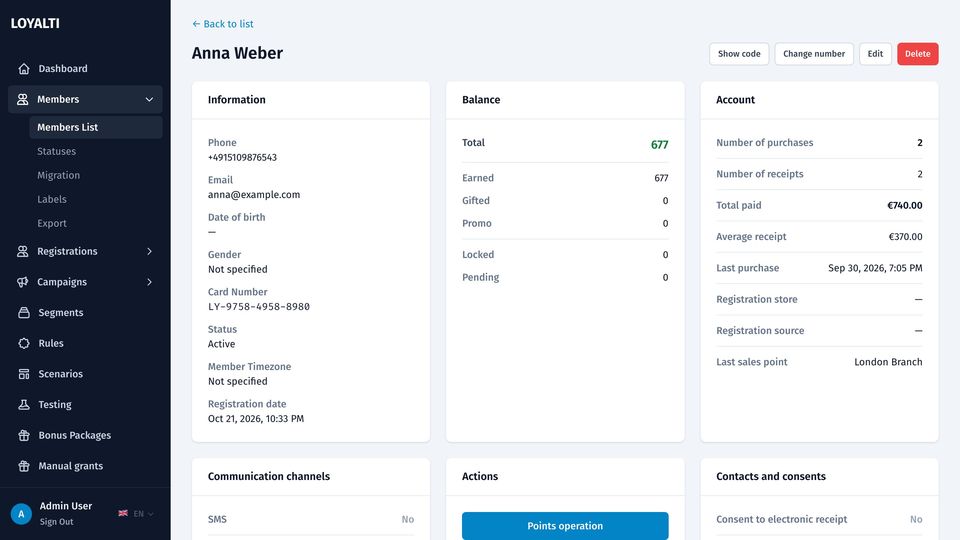
Contacts, card number, status and registration date; balances split into earned, gifted and promo with locked and pending amounts; purchase statistics; channels the member can be reached on; consents with the document version they accepted; children for birthday scenarios; manual point operations and the full ledger.
Registrations and forms
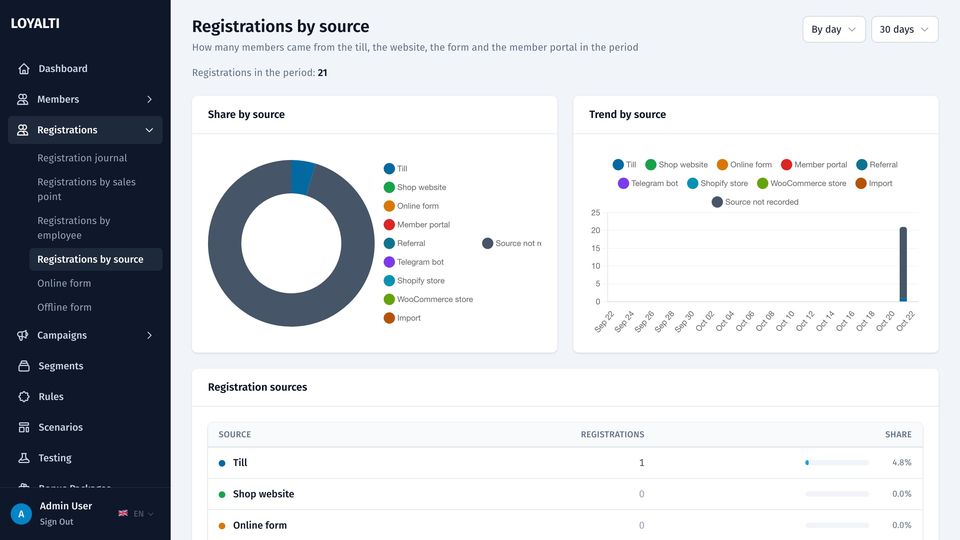
Public online and offline registration forms with your fields and consent texts, a form for waiters at the table, registration at the till, through the portal, the shop or an import. Reports by source, by sales point and by employee show where members come from.
Rules, scenarios and testing
The logic of the programme, editable without a developer
Rule builder
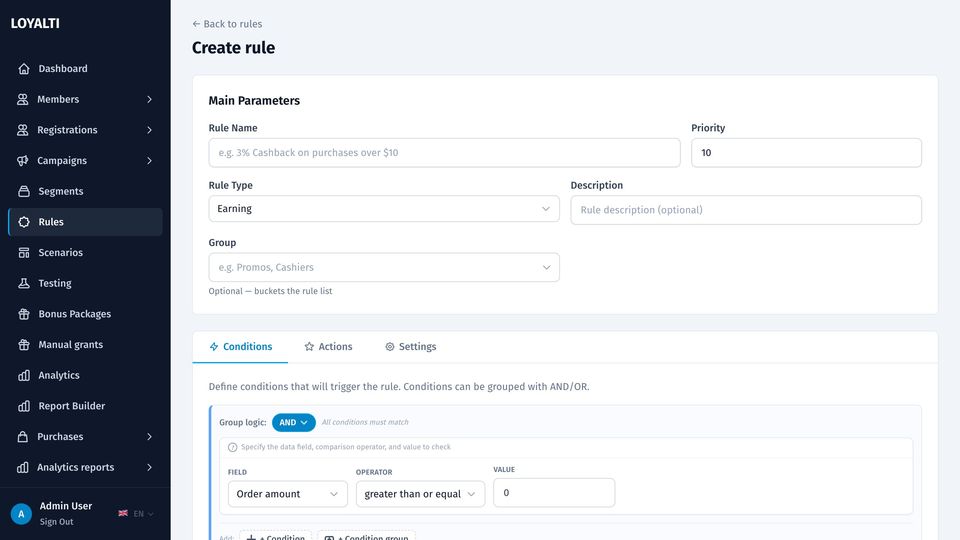
Conditions on the receipt (amount, items, categories, tags, sales channel, store, promo code), on the member (tier, labels, group, registration date, purchase count) and on time. Actions: earn a percentage or a fixed amount into earned, gifted or promo, set expiry days, cap redemption per item or per cart, set or remove a label, print a line on the pre-check and the receipt.
- First-match evaluation with priorities and rule groups
- Validity periods, conflict strategy, gift events
- Rule ids frozen on every order, so cancellations and partial refunds recompute with the rules of that day
Scenarios
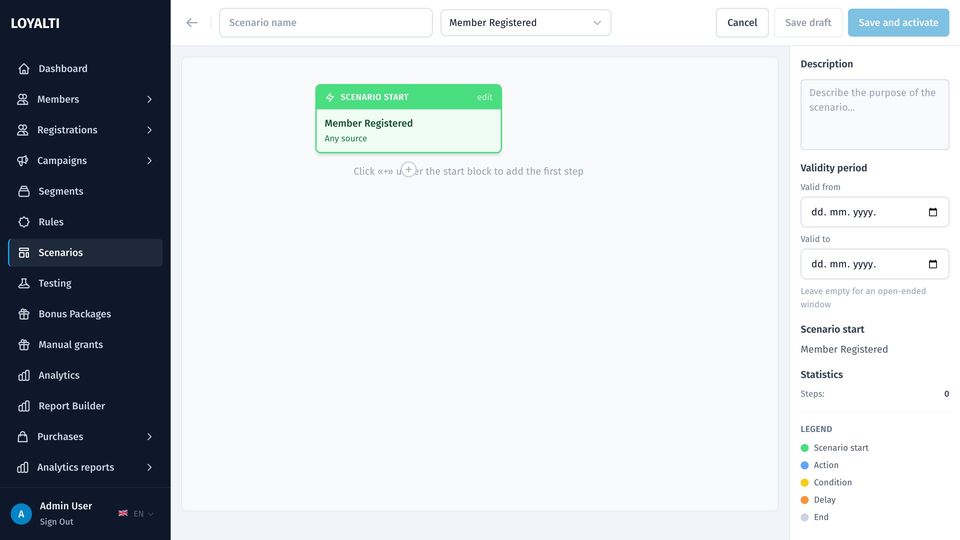
A visual canvas with a trigger node and steps. Triggers: registration, first or any purchase, purchase milestone, points threshold, spend threshold, date events such as a birthday, counters, manual start. Steps: delay, condition, action (grant points, send a message, set a label, award a bonus package), with branches and groups.
Testing before going live
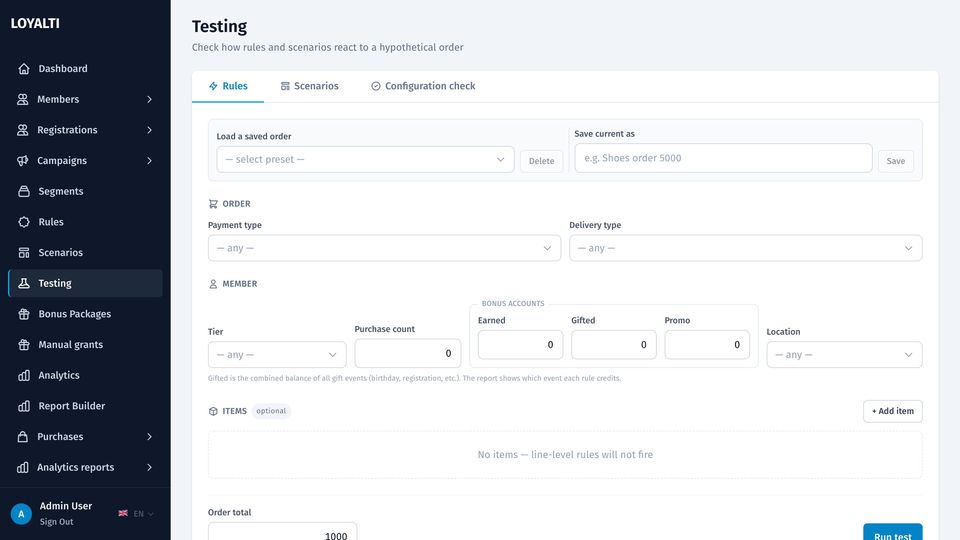
A rule simulator takes a member and a sample receipt and shows which rules match and what they earn. A scenario dry runner walks a member through a scenario. A configuration check lists what is missing before a channel or an integration can work.
Campaigns and messaging
Reach a member on the channel that works for them
Campaign wizard
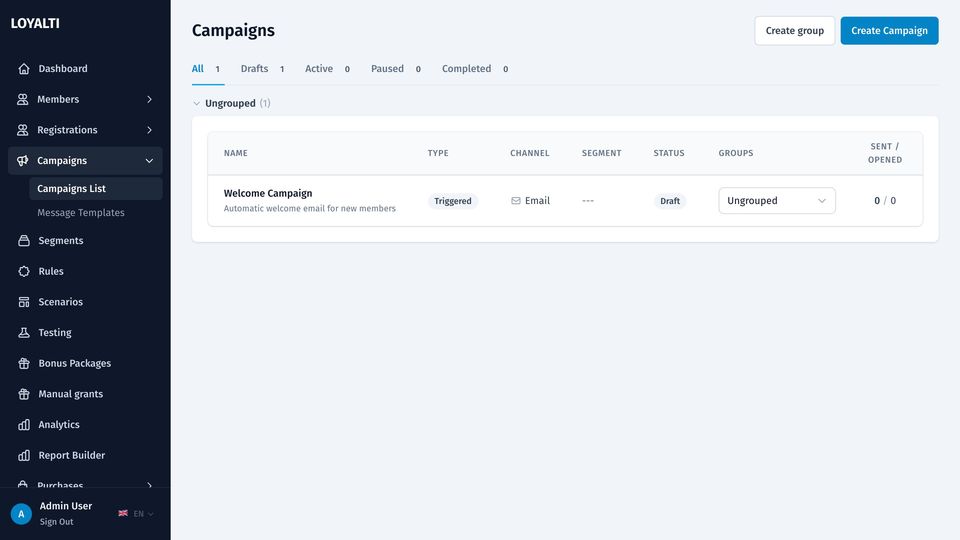
Basics, audience, content, schedule, review. Broadcast to all chosen channels or fall back down a priority list until one reaches the member. A/B variants with a winner by open or purchase rate. Sending at a chosen hour in each recipient's timezone. Campaign groups to keep the list tidy.
- Channels: e-mail, SMS, WhatsApp, Telegram, Viber, push
- Triggered campaigns start from scenarios and rules
- Send log per member with delivered, opened and clicked marks
E-mail maker and templates
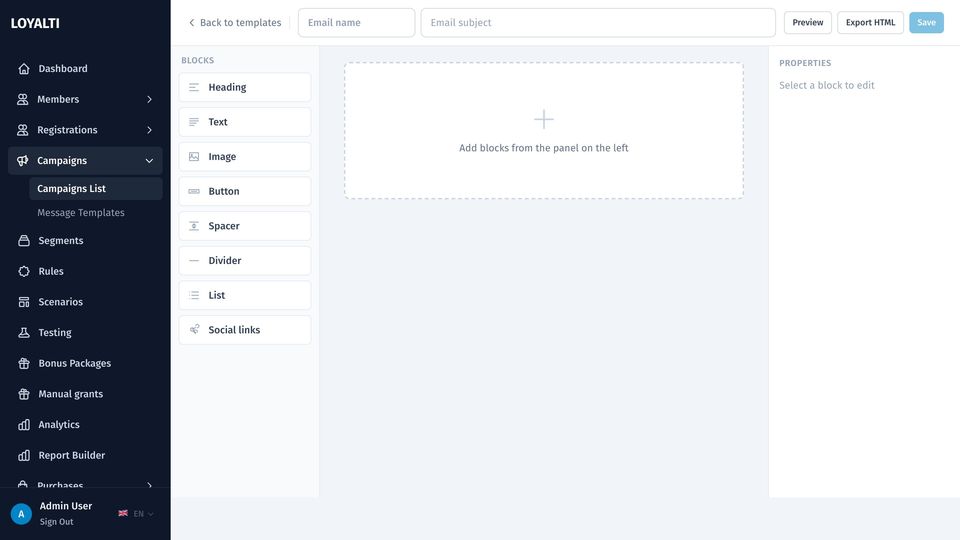
A block editor for e-mail with text, image, button and divider blocks, inspector per block and a preview. Message templates per channel with variables for the member, the balance and the company; WhatsApp templates with content variables as the provider requires.
Segments
Audiences from purchases, visits, RFM and channels
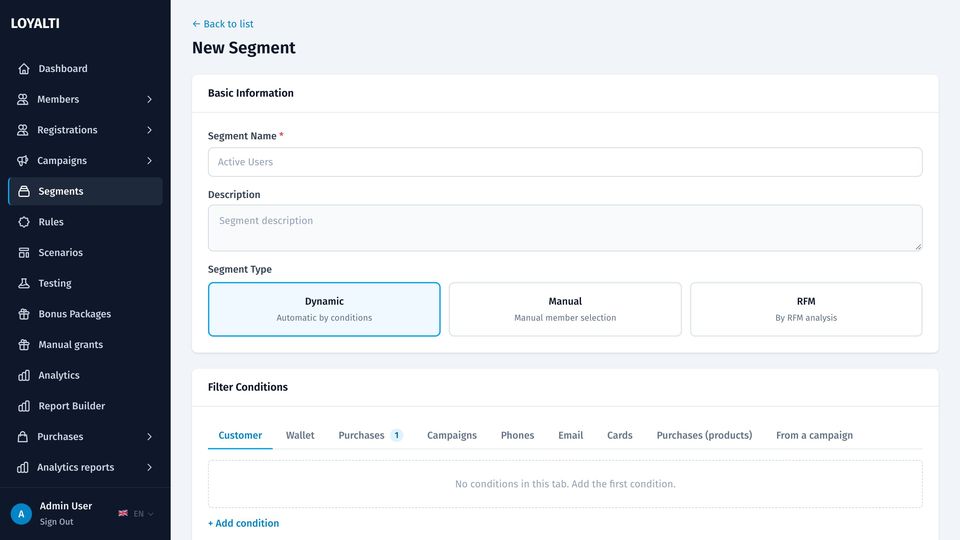
Static, dynamic or a pasted list. Filters on member fields, purchase history with amount and date windows, products and categories bought, visit frequency, RFM segment, labels, reachable channels and campaign history. The builder estimates the audience size as you add conditions. Segments drive campaigns, bonus packages and reports.
Tiers, bonus packages and manual grants
Status levels and targeted bonuses with restrictions
Tiers
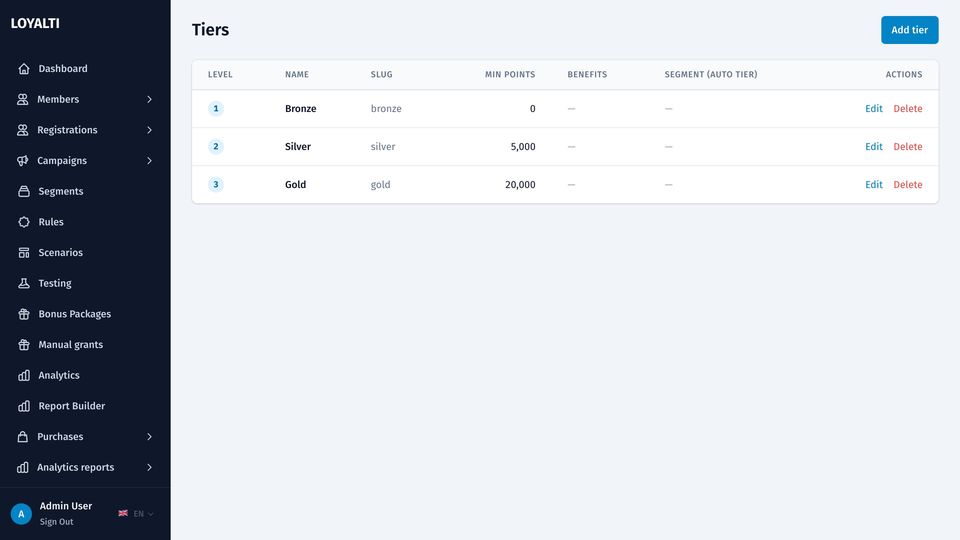
Levels with thresholds by spend or points, their own earn rates and perks. Upgrades and downgrades fire webhooks and can start scenarios. Cohort-upgrade analytics shows how members move between levels.
Bonus packages
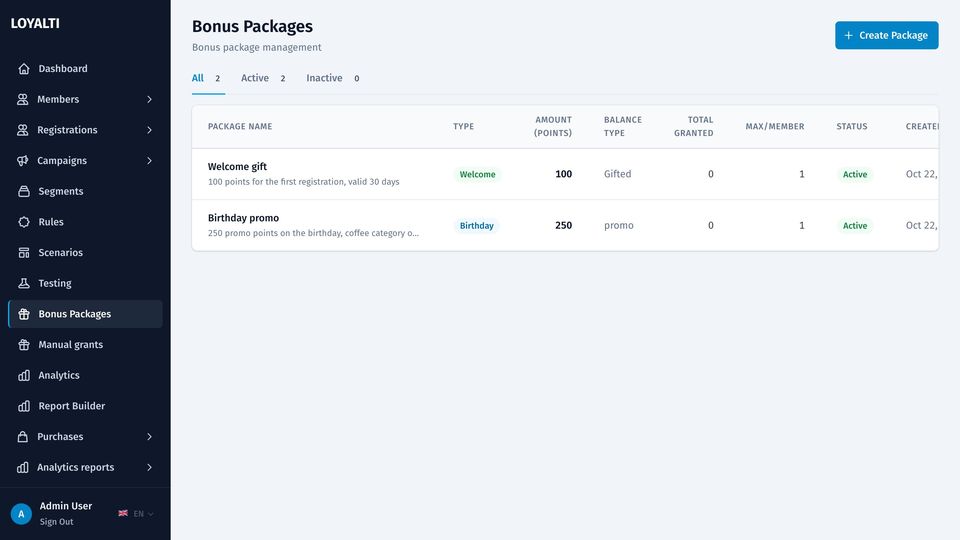
Welcome, birthday, promo, gift or manual packages: an amount into gifted or promo balance, expiry days, a segment that qualifies, restrictions to categories, products, stores or channels, and a cap on the share of a receipt the bonus may pay. Granted automatically or in bulk to a segment.
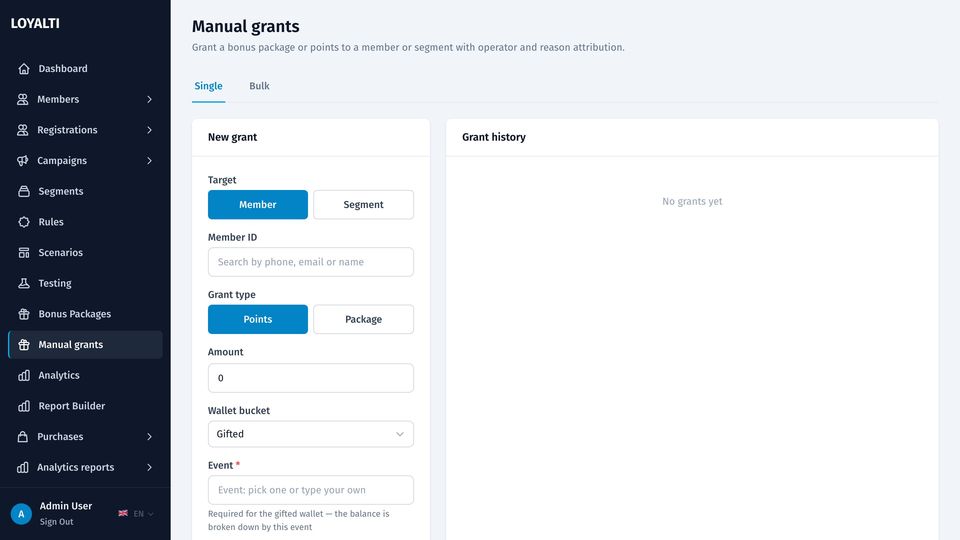
Manual grants
Points to one member or to a whole segment, with a reason, a balance type, expiry, activation date and optional restrictions. Every grant is in the ledger and the audit log.
Analytics and reports
Twenty views and a builder for the rest
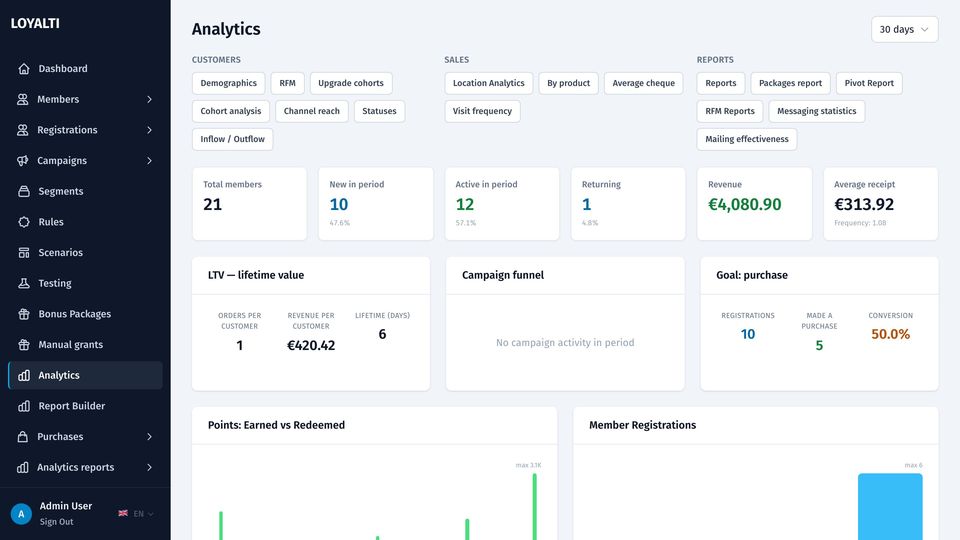
Analytics overview
Members, active members, purchases, revenue and points over a period with comparison, purchase activity by day, registrations, top products and the balance movement.
- RFM with recommendations per segment and monthly reports
- Cohorts, cohort upgrades, lifecycle, inflow and outflow
- Average cheque, visit frequency, products, sellers, locations, messages, channel reach, broadcast effectiveness
- Purchase journal, items in cheque, purchases by sales and registration point, detailed exports
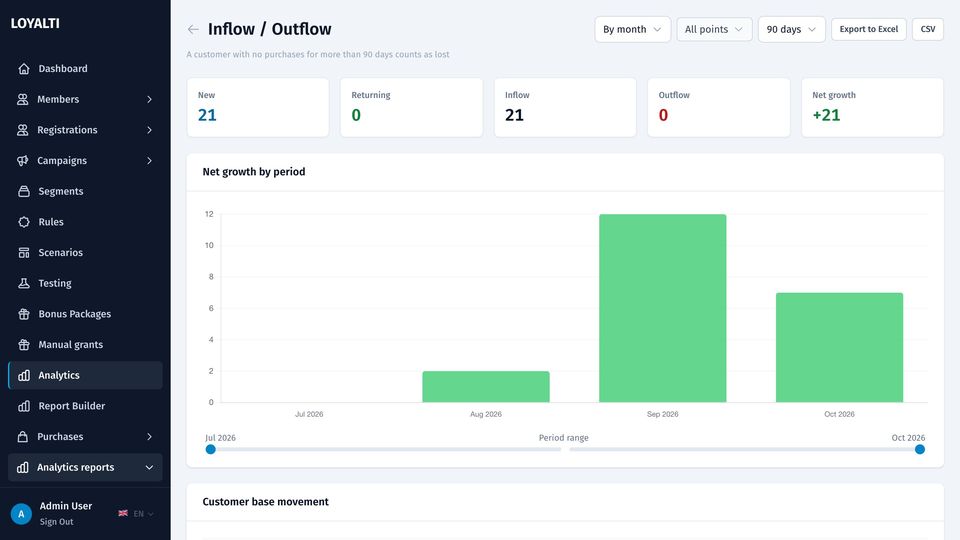
Inflow and outflow
New, returning and lost members per period with the net change, so the programme's growth is one chart rather than a spreadsheet.
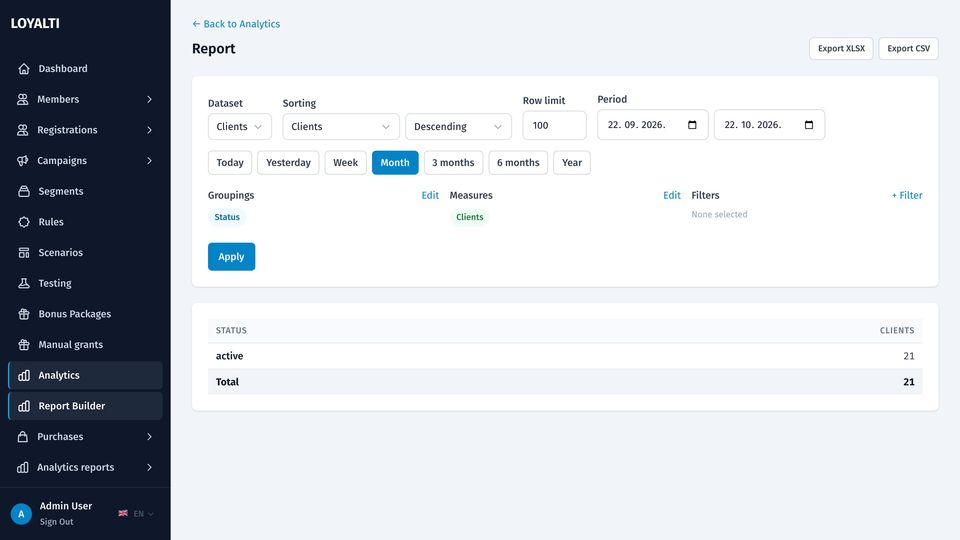
Report builder
Pick a data source, a period, dimensions and measures; group by day, week or month; pivot; export to CSV or XLSX. Saved reports run again with one click.
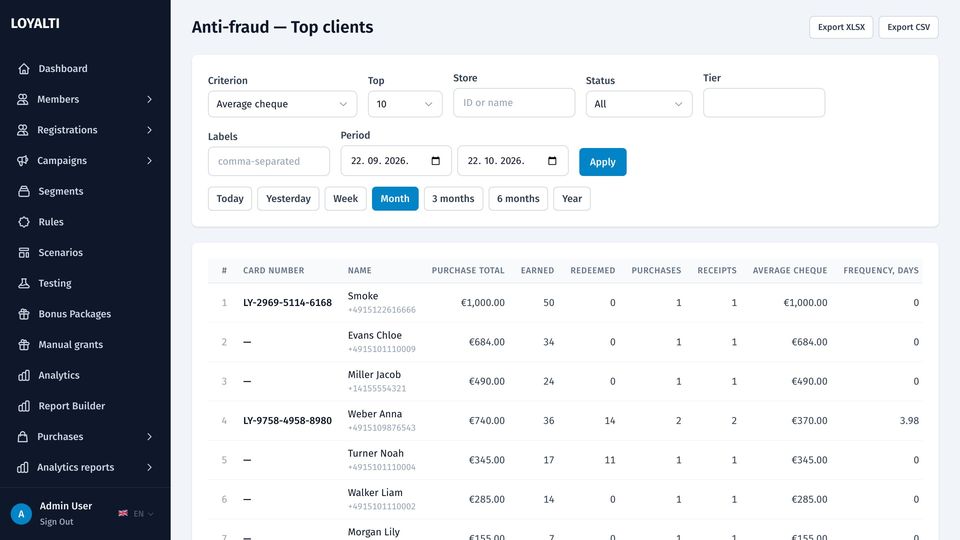
Anti-fraud
Top clients and top cashiers by returns, redemptions and unusual patterns, with period and store filters, to catch points farmed at the till.
Purchases, transactions and catalog
Every receipt, every point movement, every product
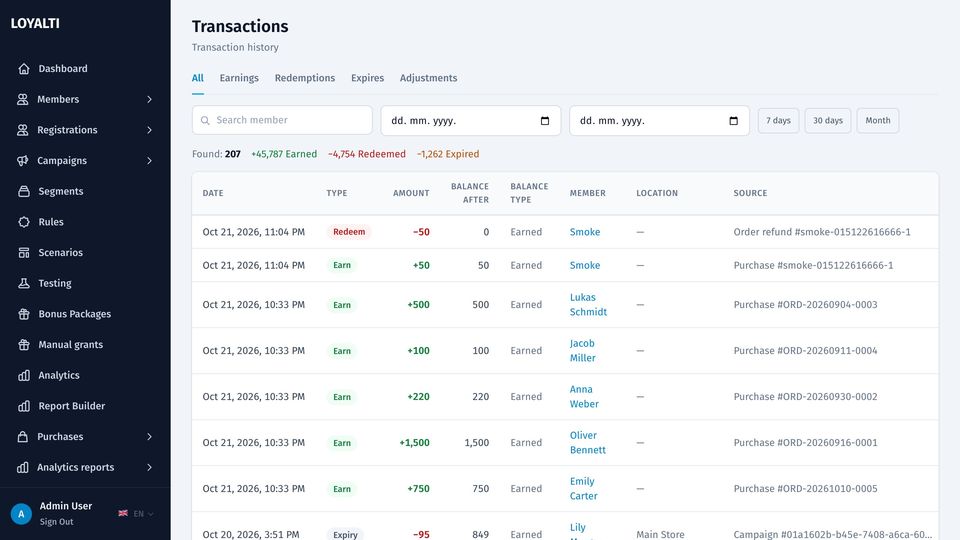
Transactions
The ledger of earns, redeems, grants, expirations and reversals with the member, the order, the source and the balance type. Orders carry their lines, applied rules, cashier and location; approval, refund and partial refund are actions on the order.
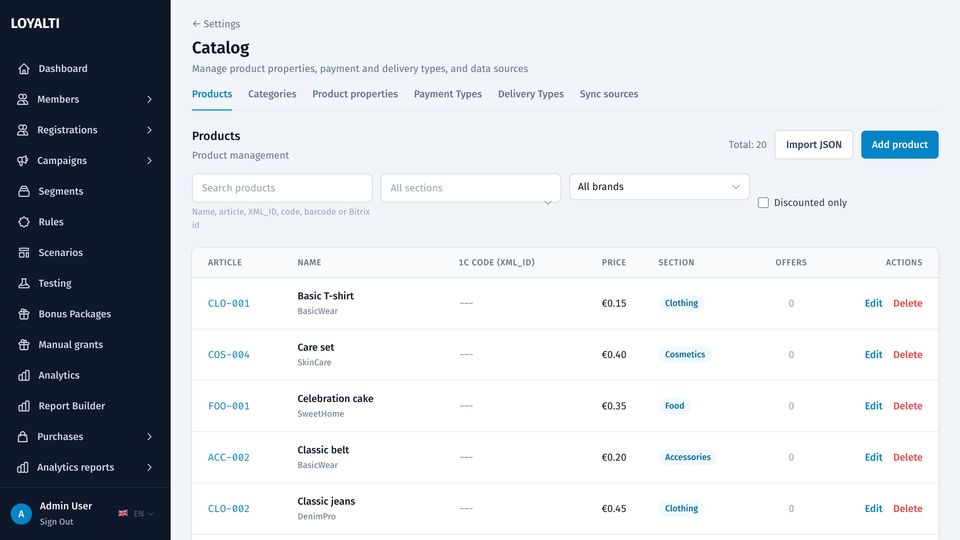
Catalog
Products with SKU, barcode, variants, categories, properties and price history; sources, payment and delivery types; catalog discounts with a timeline. Rules and bonus restrictions refer to the catalog, and the shop integrations keep it in sync.
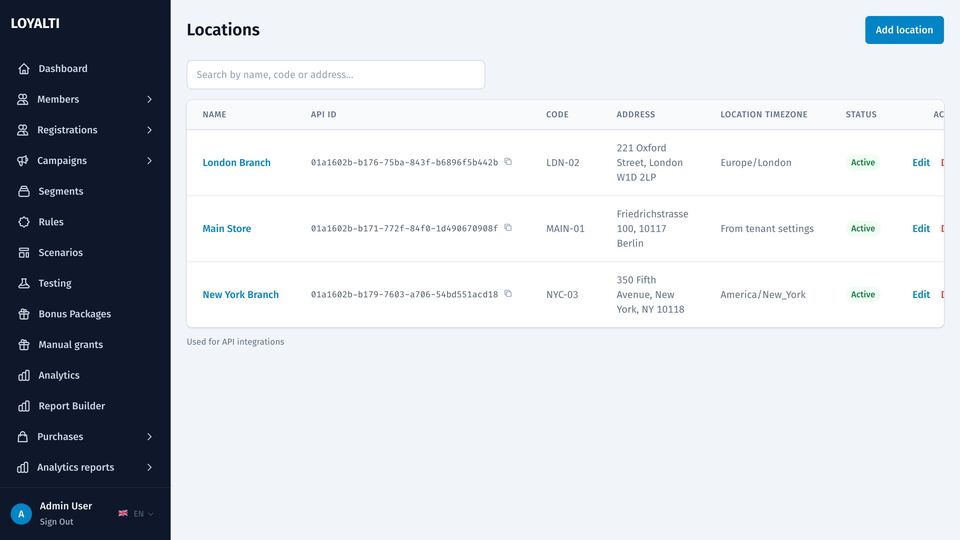
Locations
Stores and points of sale with address and timezone. Till keys bind to a location, users can be limited to their stores, and every report splits by location.
Wallet cards and member portal
A card in Apple Wallet and Google Wallet, a portal in the browser
Each member gets a pass with the balance and a barcode the till scans; the balance on the pass updates after every purchase. The member portal shows the balance, the history, the profile and consents, and lets a member register, confirm a phone and issue a shop discount code from their points.
MLM and referrals
Referral programme and multi-level accounts
Referral links and codes with rewards for both sides, referral statistics, and an optional MLM module with levels, accounts and statistics for businesses that pay on the purchases of a member's network.
Settings and team
Company, programme, channels, legal and operations in one place
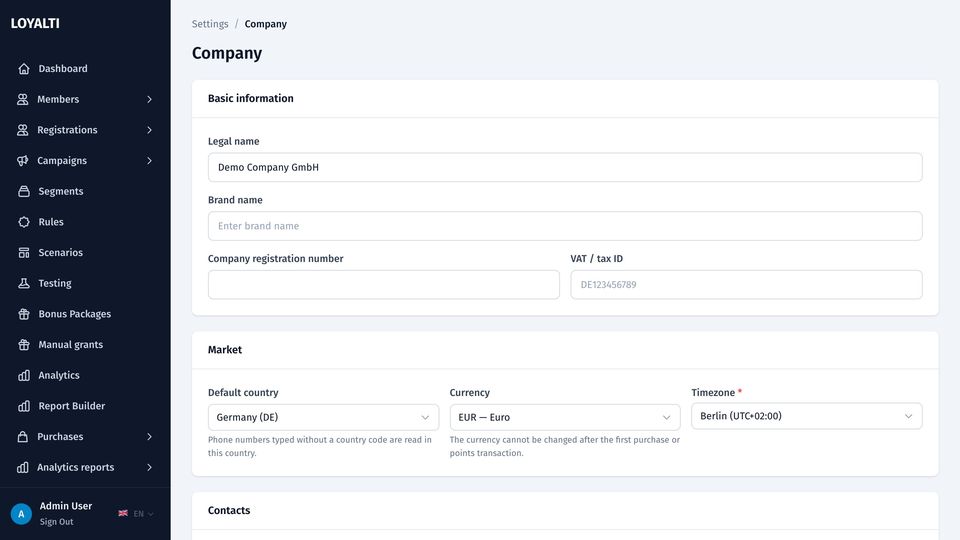
Company and market
Legal name, registration number, tax id, address and bank details; country, currency and timezone of the tenant. The currency cannot change once there are orders. Phone numbers without a country code are read in the company's country.
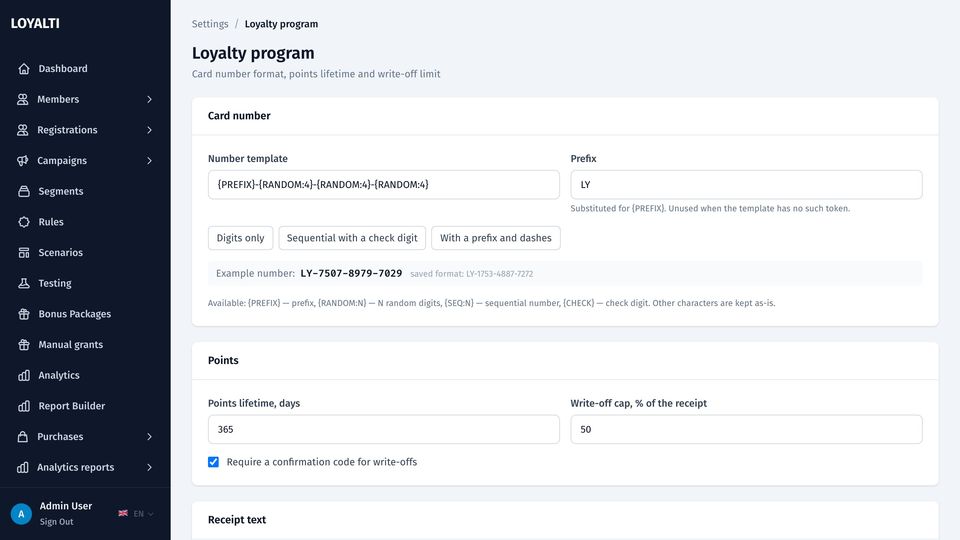
Loyalty programme settings
Card number templates, redemption caps, confirmation codes for write-off at the till, point expiry, receipt texts with macros, wallet labels for the three balances.
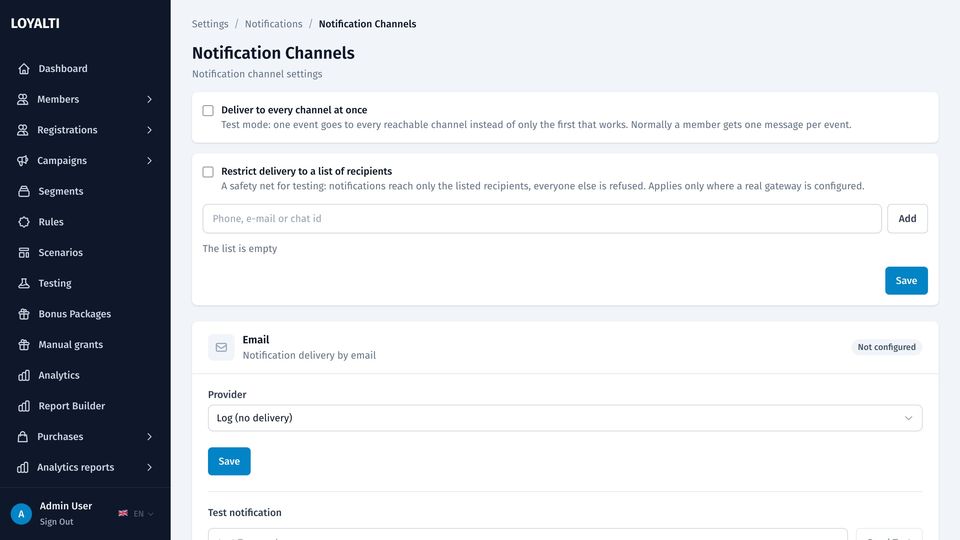
Notification channels
Per tenant: sender names, templates per event and channel, a sandbox mode that delivers only to a list of test recipients. Provider credentials live in the super-admin panel, encrypted.
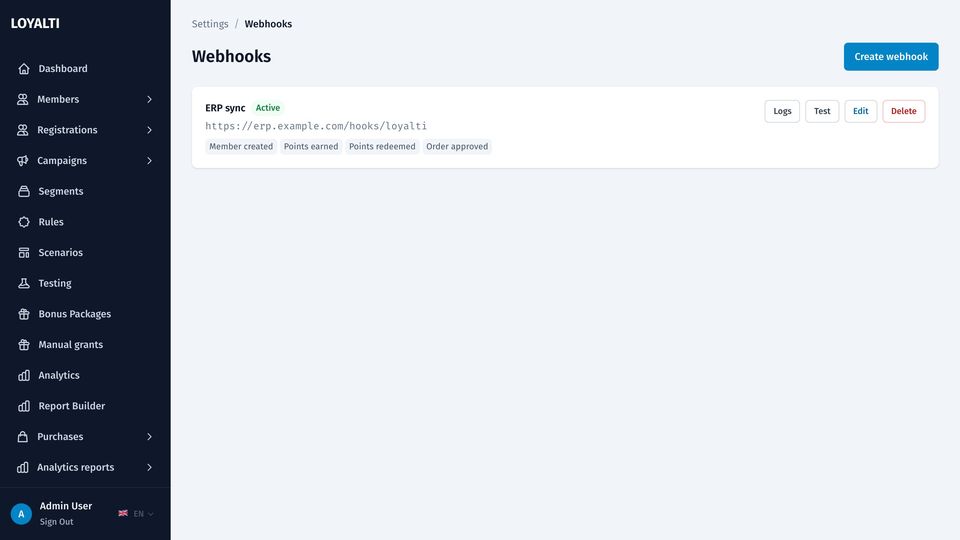
Till keys and webhooks
Keys for tills and shop sites, bound to a location or global, shown once and rotatable. Outgoing webhooks with a signing secret for member, points, tier and order events.
Users, roles and audit
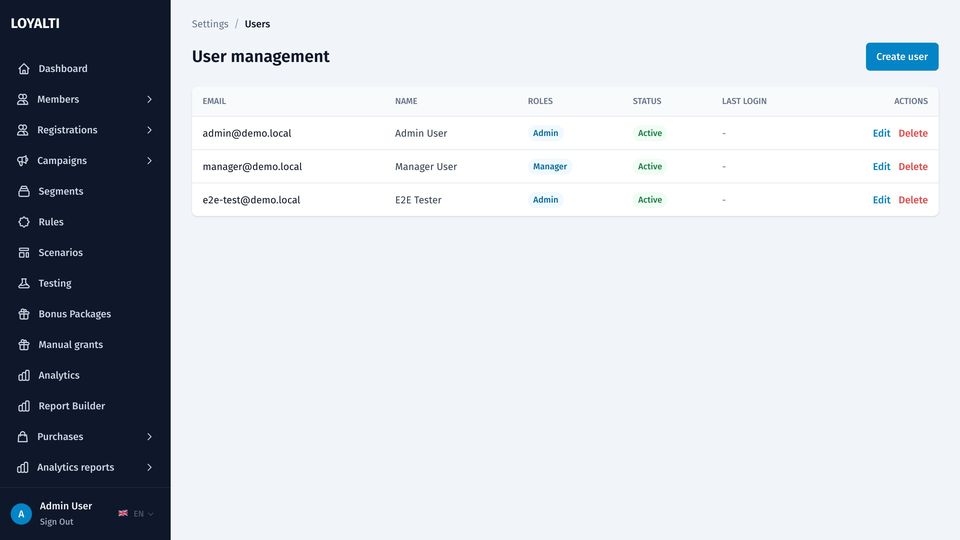
Users with roles, two-factor sign-in, access limited to chosen stores; an audit log of every change with the actor, the entity and the payload. Legal documents with versions and consent tracking. Backups on schedule to S3 with one-click restore. Import of members and transactions from CSV and XLSX.
Super-admin panel
Run many tenants from one installation
Tenants with their status, limits and usage; platform administrators with two-factor sign-in; platform settings; provider credentials for SMTP, SMS, WhatsApp, Telegram, Viber and push; default notification templates; UI translations; monitoring with queues, logs and alerts; backups.
- Tenant sign-up with country, currency and timezone
- Coalitions: several tenants sharing a programme
- Sandbox mode for a tenant, rate limits and quotas
- Health endpoint and Prometheus metrics for your monitoring